Questions
The things worth knowing before spending an evening in it.
What it is
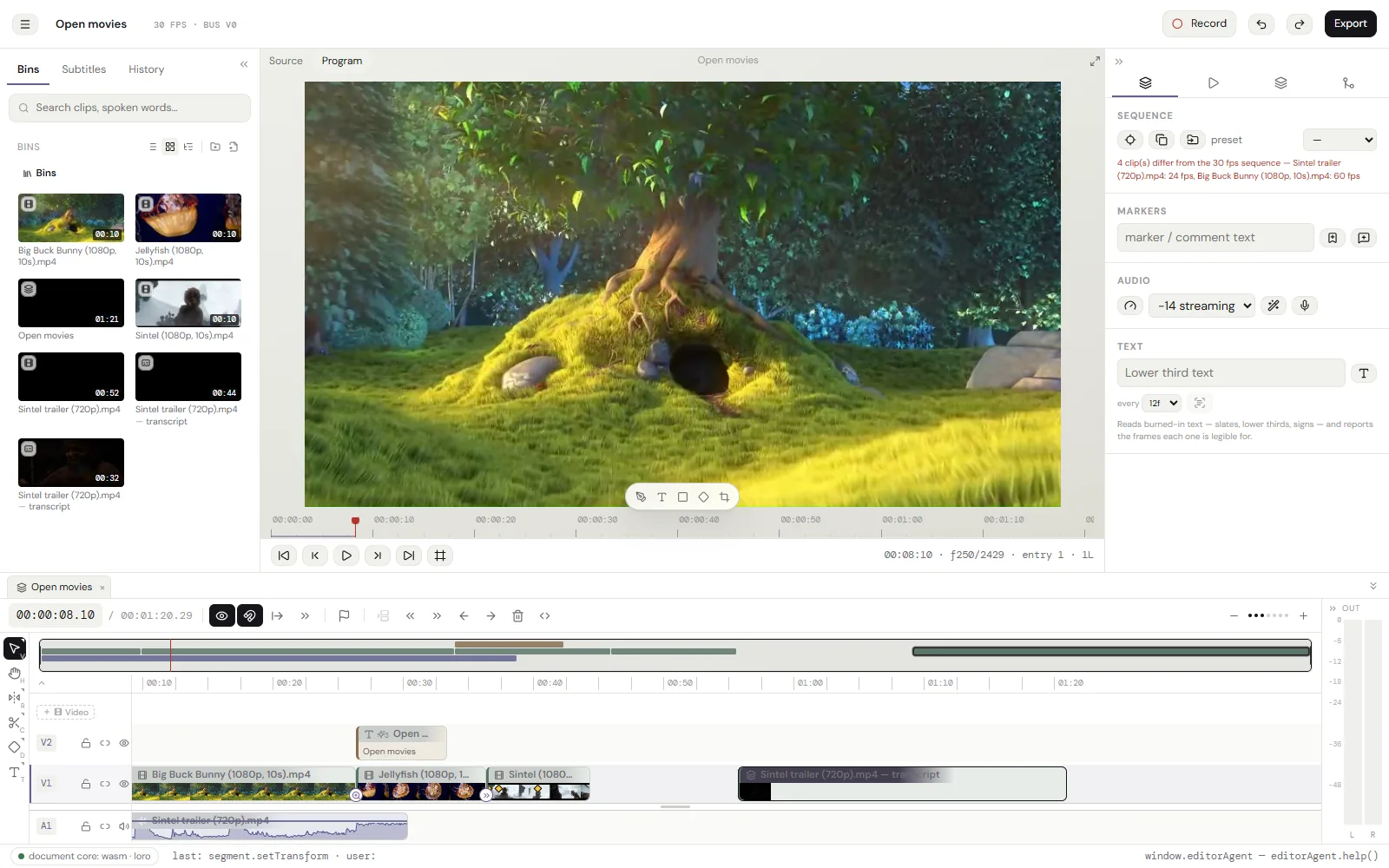
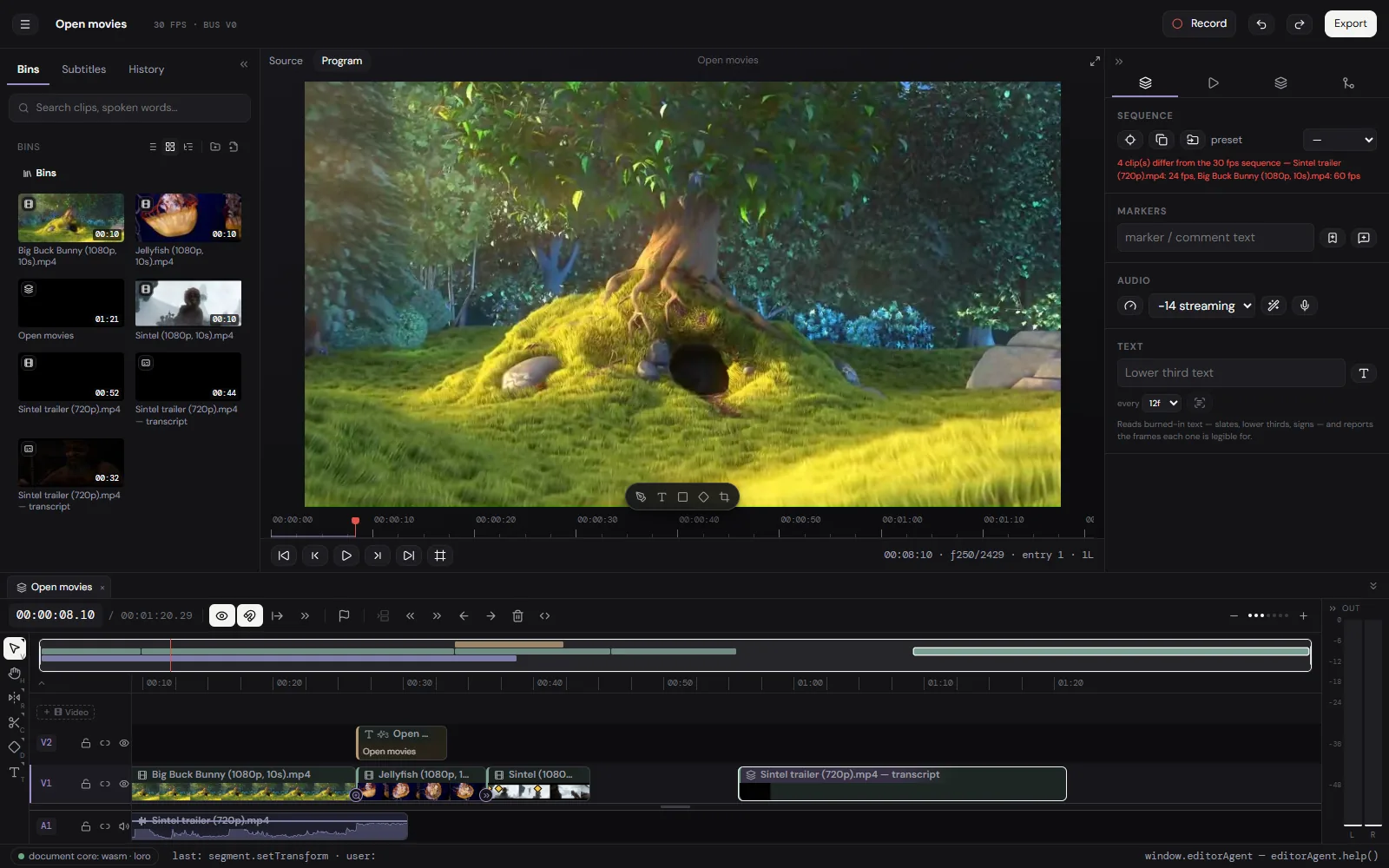
A video editor that runs in a browser tab, with an MP4 at the end. A real timeline: ripple trim, nested sequences, keyframes, transitions, titles, an audio chain, transcription and captions. It is free, there is no account, and the footage stays on the machine.
What it will not do
- Export is H.264 video and AAC audio in an MP4, or the sound alone as .m4a. No ProRes, no DNxHD, no H.265 out, no image sequences.
- No team features: no cloud project, no review link, no comments, no shared library. A project lives in one browser, and moves as a file.
- No stock library and nothing generative: no stock clips, no music bed, no AI b-roll, no generative fill.
- No third-party plugins. No OpenFX, no VST, no motion-graphics templates from another app.
- Colour is LUTs and the effect rail, not scopes, curves and secondaries. A .cube grades a clip; there is no vectorscope to grade against.
- Built and checked in Chromium browsers, which is where WebCodecs is furthest along. Other browsers vary by codec and by version.
- It runs in a tab, on one machine. A long 4K timeline is heavier here than in a native application on the same computer.
Questions
- Is cutvid free?
- Yes. No account, no trial, no paid tier, no watermark. It runs on the machine that opens it.
- Does it upload my video?
- No. After the page loads there is no server behind it. The media, the render and the transcription all happen in the tab.
- Do I need to install anything?
- No. It is a web page. It can be installed as an app afterwards, which is what makes it work offline.
- Which browsers does it need?
- One with WebCodecs. It is built and checked in Chromium browsers, where support is furthest along; other browsers vary by codec and version.
- What does it export?
- MP4 with H.264 video and AAC audio, at a size and rate of your choosing, or the sound alone as .m4a. Captions come out as an .srt beside it.
- Can it open a Premiere, Final Cut or Resolve project?
- No. Project files from other editors are not read.
- What formats can it import?
- What the browser can decode, plus H.265 / HEVC, which is decoded by FFmpeg compiled to WebAssembly and kept as H.264 so a driver that chokes on it never sees it.
- Where are my projects kept, and can I lose them?
- In this browser’s storage on this machine. Clearing the browser’s data for the site deletes them, so export a .cutvid backup of anything that matters. It holds the document and every original it uses.
- Is there a file size or length limit?
- No plan-imposed limit. The machine and the browser’s storage quota are the limits.
- Can a script or an agent drive it?
- Yes. window.editorAgent exposes every command the interface uses, documented at /AGENTS.md.
Open it and cut something.
No account, no install, nothing uploaded. The first edit takes as long as a page load.