A Descript alternative that transcribes on your own machine
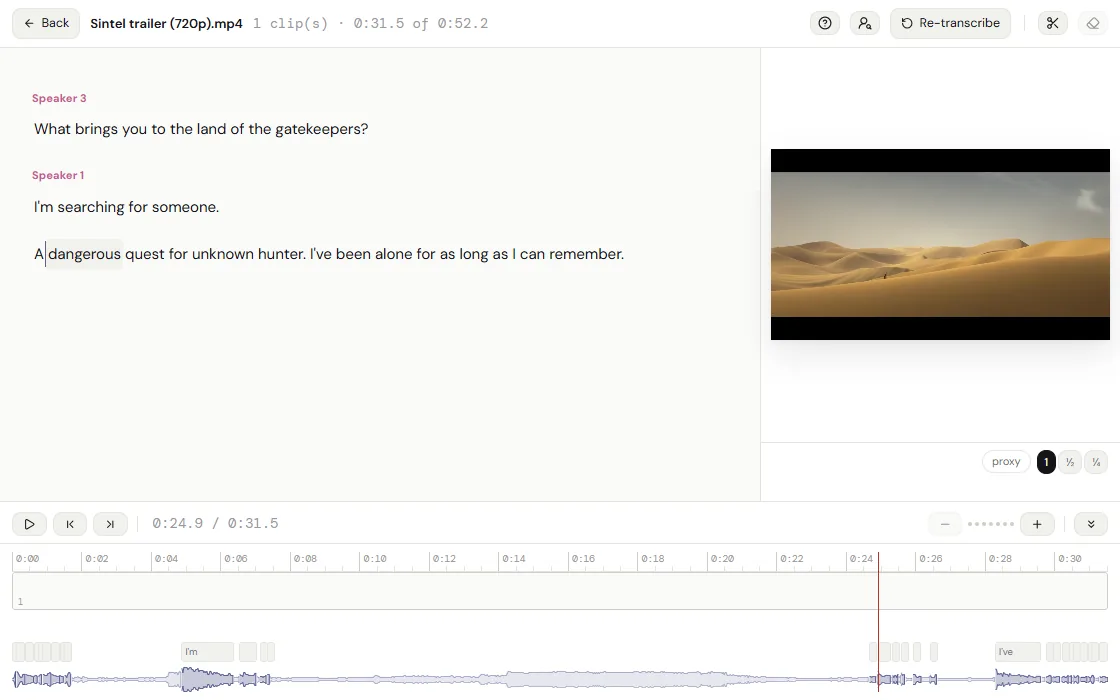
Strike a sentence in the transcript and the picture and the sound follow. The transcription runs in the tab (Whisper, in the browser), so the recording is never sent anywhere.
Editing by the words
- Transcription in the tab
- Whisper runs in the browser, in 2 model sizes and many languages. Nothing is uploaded and nothing is metered.
- Speakers
- Speakers are told apart and named, so a conversation reads as a script.
- Cut by striking text
- Delete a line in the transcript editor and the cut is made on the timeline, picture and sound together.
- Search what was said
- The bin finds a clip by the words spoken in it, and answers in timeline frames.
- Text on screen, too
- A scan reads the words in the picture, so a slide is found by its title.
- Captions
- Captions sit on a caption track with its own look, merge into sentences, and leave as an .srt beside the export.

And a real timeline under it
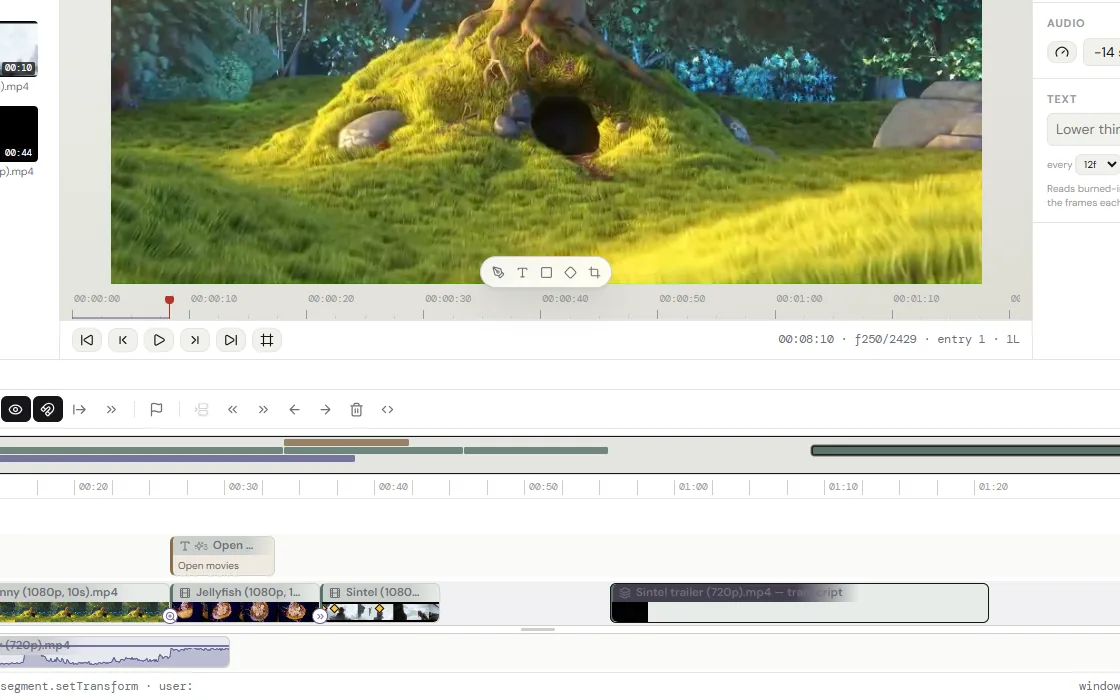
Transcript editing is a way into the cut, not the whole of it. Underneath is an ordinary non-linear editor: ripple trim, nested sequences, keyframes on an anchor, 32 transitions, chroma key, LUT grading, a per-clip audio chain with a de-esser and a gate, auto-ducking, and loudness normalization on the way out.

cutvid and Descript, side by side
| cutvid | Descript | |
|---|---|---|
| Price | Free | Free tier, then per seat |
| Transcription | In the tab, unmetered | On their servers, by the hour |
| Upload | Never | Required |
| Voice cloning / Overdub | None | Yes |
| Filler-word removal | Silence strip; filler words by hand | One click |
| Team review | None | Yes |
| Timeline depth | Nests, keyframes, chroma key, LUTs | Scene-based, lighter |
| Works offline | Yes, once installed | No |
Where Descript wins
Descript has Overdub and voice cloning, one-click filler removal, studio sound, team review and comments, and a hosted project that follows an account between machines. None of that is here.
The rest of what cutvid does not do:
- Export is H.264 in MP4, MOV or MKV, VP9 in WebM, or the audio alone as M4A, Opus or WAV. No ProRes, no DNxHD, no H.265 out, no image sequences.
- No team features: no cloud project, no review link, no comments, no shared library. A project lives in one browser and moves as a file.
- No stock library and nothing generative: no stock clips, no music bed, no AI b-roll, no generative fill.
- No third-party plugins: no OpenFX, no VST, no motion-graphics templates from another app.
- Color is LUTs and the effect rail, not scopes, curves and secondaries. A .cube grades a clip; there is no vectorscope to grade against.
- It runs in Chrome, Edge and the other Chromium browsers, and in Firefox, where it draws with WebGL2. Safari is not checked yet.
- It runs in a tab, on one machine. A long 4K timeline is heavier here than in a native application on the same computer.
Questions
- Is the transcription free?
- Yes, and unmetered: it runs on the machine, so there are no minutes to buy.
- How accurate is it?
- It is Whisper, at one of two model sizes. The larger one is slower and better; both run in the tab.
- Is my recording uploaded for transcription?
- No. The model runs in the browser and the audio never leaves it.
- Can I edit the transcript text itself?
- Its punctuation, yes: a mark typed after a word goes in, and the next word’s capital follows. The words stay as they were heard, each timed to the recording, and a caption made from them can be typed over on the picture.
Open it and cut something.
No account, no install, nothing uploaded.