A CapCut alternative that keeps the footage on your machine
It needs no account, adds no watermark and uploads nothing. Transcribe, caption, cut, animate and export an MP4 in a browser tab, on the computer the footage is already on.
The things people actually use CapCut for
- Captions from speech
- Whisper runs in the tab, in 2 model sizes and many languages. Captions are a track on the timeline with their own look, and leave as an .srt.
- Cut by the words
- Strike a sentence in the transcript and the picture and the sound go with it.
- Dead air removed
- Silence is found and proposed as cuts, drawn on the timeline before any of them are made.
- Text with movement
- Titles kern properly and animate by letter, by word or by block, in, during and out.
- Transitions
- There are 32 transitions, from a dissolve to a whip pan, a film burn or a glitch.
- Speed, reverse, freeze
- A clip plays at any rate, backward, looped or boomeranged, or holds on a frame the tool has already found for you.
- Music under a voice
- Auto-ducking writes the dip as keyframes that can then be moved by hand.
- Record straight in
- Screen, screen with camera, camera or voice alone go into the bin without leaving the page.
What is different
CapCut is an account and a service: the footage goes up, the work lives there, and the terms can change under it. cutvid is a page. The project and the media are in the browser’s storage on the machine that opened them, the render happens in the tab, and nothing is sent anywhere, which also means it keeps working with the network off.
The other difference is depth. Under the captions and the transitions there is a real timeline: nested sequences, keyframes on an anchor, chroma key, LUT grading, a per-clip audio chain, and an export that copies untouched clips through as their own packets rather than re-encoding them.
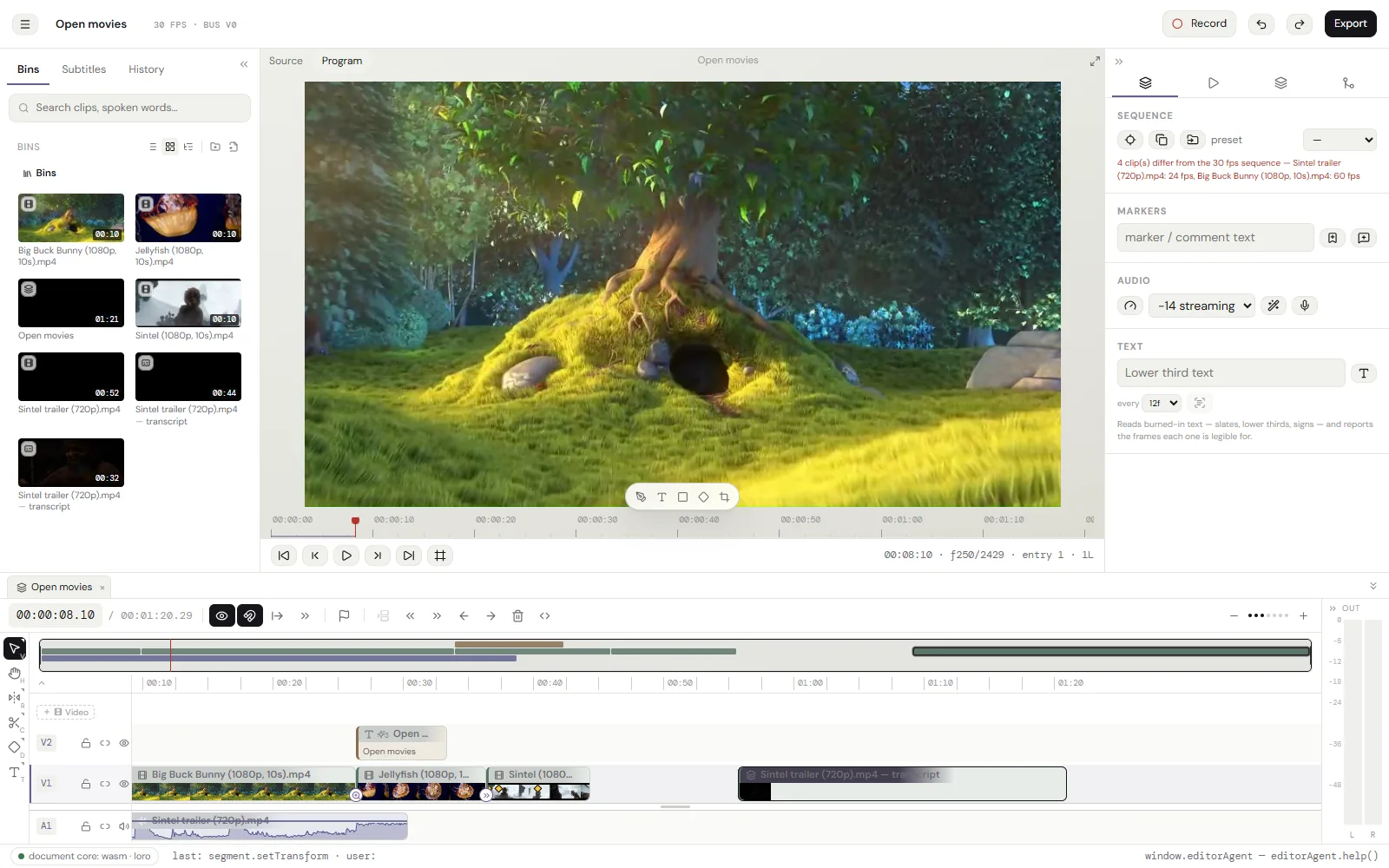
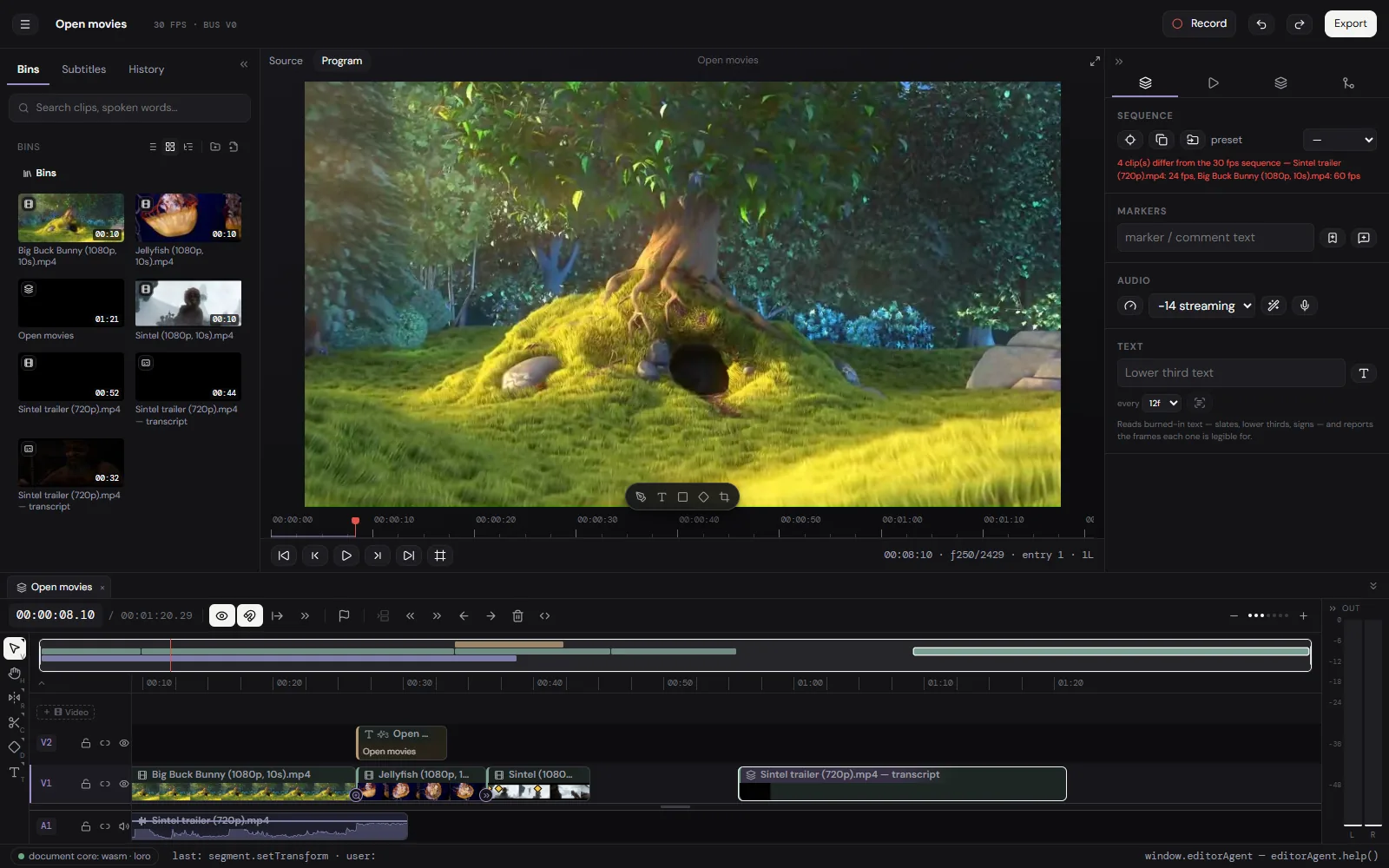
cutvid and CapCut, side by side
| cutvid | CapCut | |
|---|---|---|
| Account | None | Required |
| Upload | Never | Yes, for the web and cloud projects |
| Watermark | None | On some templates and effects |
| Captions from speech | In the tab, many languages | Yes, on their servers |
| Stock and templates | None | Large library |
| Works offline | Yes, once installed | Desktop app only |
| Timeline depth | Nests, keyframes, chroma key, LUTs | Growing, template-led |
| Scriptable | window.editorAgent, documented | No |
Where CapCut wins
CapCut has templates and trends, a stock library, effects with a following, phone-first editing, and one project that follows an account from a phone to a laptop. None of that is here, and none of it is planned.
The rest of what cutvid does not do:
- Export is H.264 in MP4, MOV or MKV, VP9 in WebM, or the audio alone as M4A, Opus or WAV. No ProRes, no DNxHD, no H.265 out, no image sequences.
- No team features: no cloud project, no review link, no comments, no shared library. A project lives in one browser and moves as a file.
- No stock library and nothing generative: no stock clips, no music bed, no AI b-roll, no generative fill.
- No third-party plugins: no OpenFX, no VST, no motion-graphics templates from another app.
- Color is LUTs and the effect rail, not scopes, curves and secondaries. A .cube grades a clip; there is no vectorscope to grade against.
- It runs in Chrome, Edge and the other Chromium browsers, and in Firefox, where it draws with WebGL2. Safari is not checked yet.
- It runs in a tab, on one machine. A long 4K timeline is heavier here than in a native application on the same computer.
Questions
- Does it put a watermark on the export?
- No.
- Do I need an account?
- No. There is no sign-up at all.
- Where do my projects live?
- They live in this browser’s storage, on this machine. A project can be backed up as one .cutvid file with every original it uses, and restored anywhere.
- Can it caption automatically?
- Yes. Transcription runs in the tab with Whisper, and the captions become a track on the timeline that can be styled and merged into sentences.
- Is it good for vertical video?
- Yes. The sequence size is yours to set, and an export can be any size and rate.
Open it and cut something.
No account, no install, nothing uploaded.